ScreenFlow is a full manual video editor. Slipreel gives you a polished
demo automatically — auto-zoom, smoothed cursor, device frames,
and captions — for a lower one-time price, without a timeline to
wrangle.
ScreenFlow is a powerful, mature screen recorder and multi-track video
editor for the Mac — if you want to hand-edit, animate, and mix a
video, it does far more than Slipreel. Slipreel takes the opposite
approach: it produces the polished result automatically. It detects your
clicks and zooms in, smooths the cursor, wraps the app in a device frame,
and transcribes captions on-device — so a clean demo falls out
without keyframing anything.
Here is how they compare, and when ScreenFlow's depth is worth it.
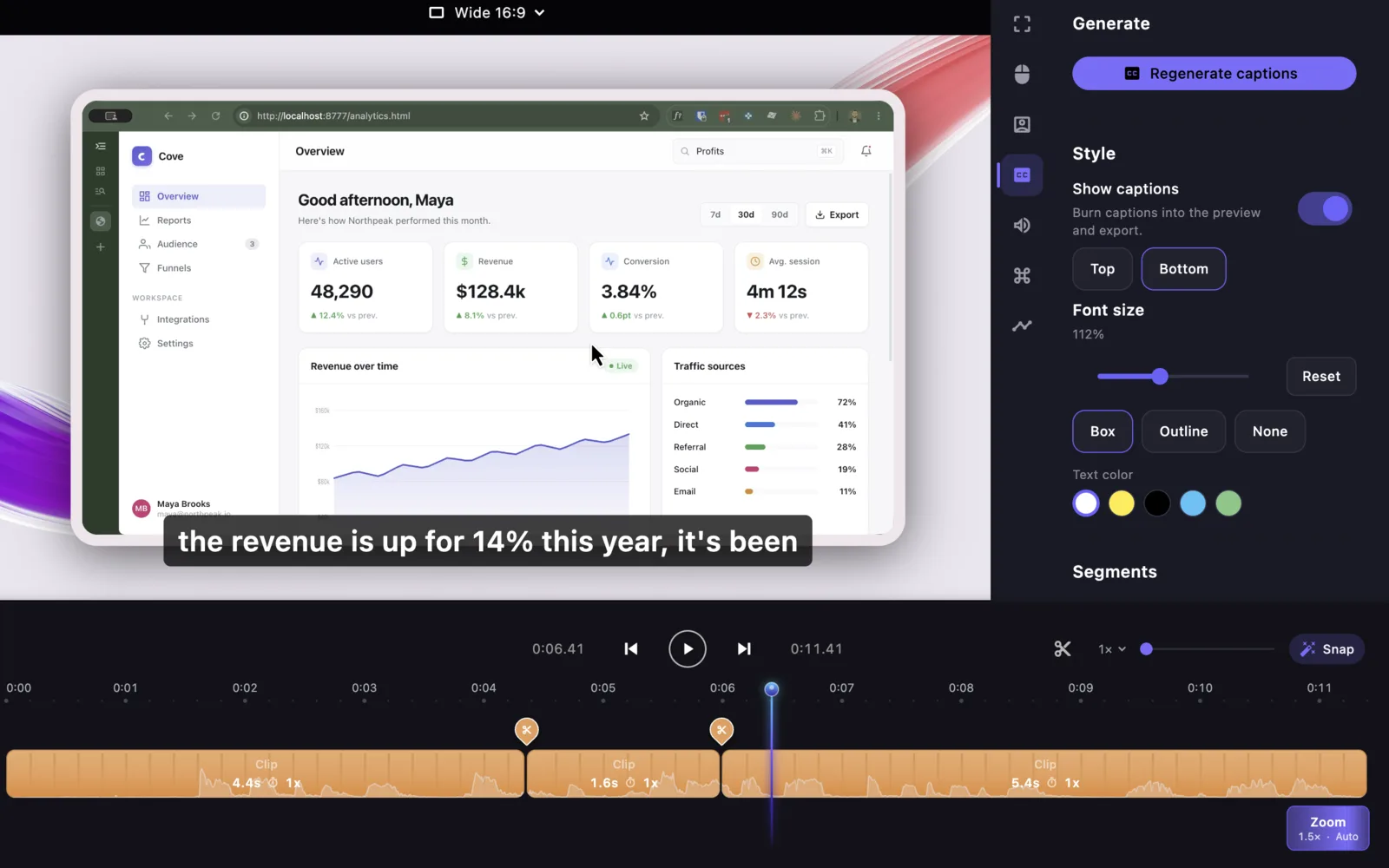
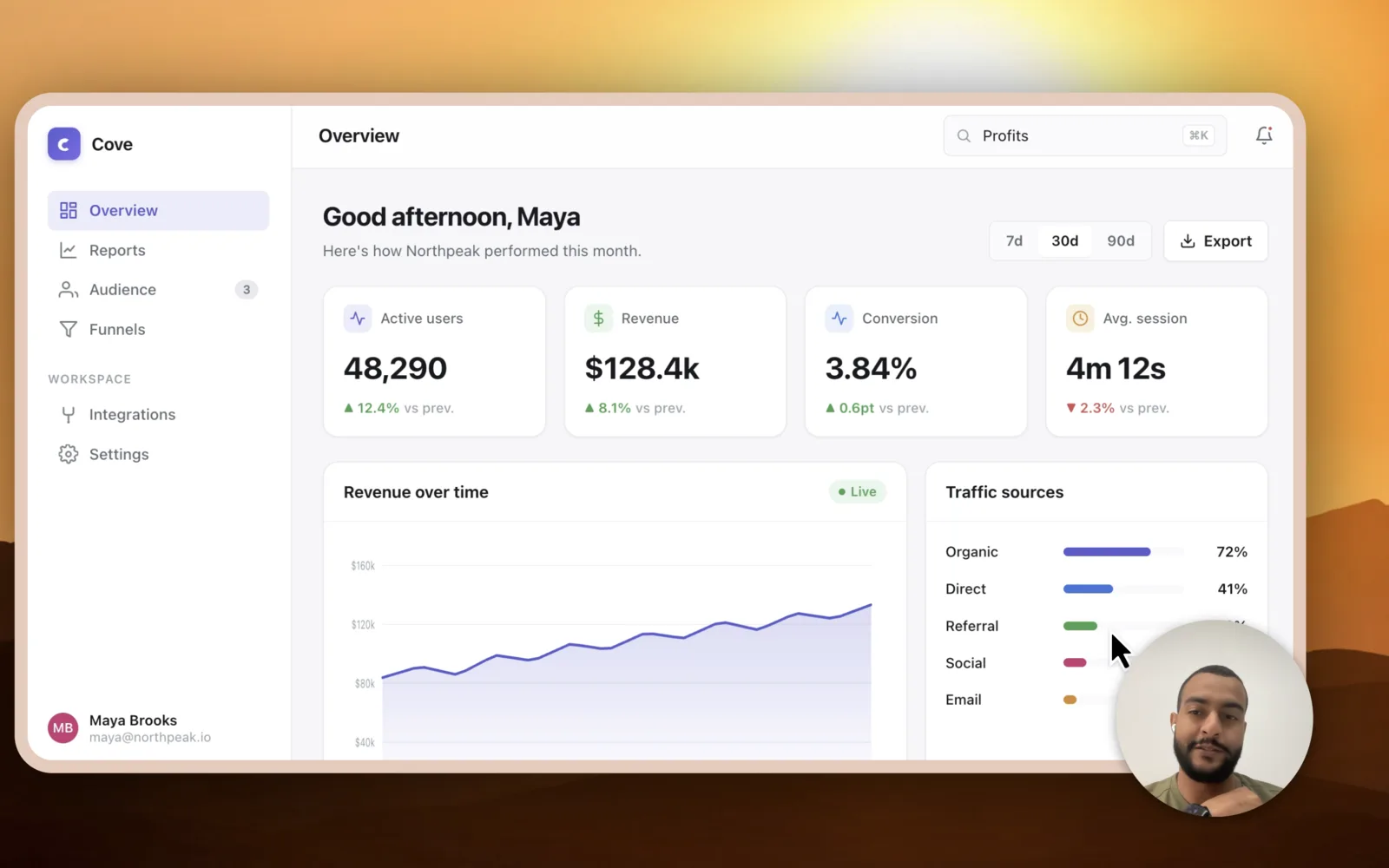
A focused editor, shown as it ships.
These current Slipreel views show the editing surface behind the comparison: a visual timeline, separate audio controls, camera framing, and local export.
Work in a purpose-built timeline.Refine generated zooms and cursor movement without building every effect by hand.Compose the final frame.Adjust camera placement, device framing, backgrounds, and presentation before export.
Slipreel versus ScreenFlow, feature by feature
Feature
Slipreel
ScreenFlow
Platform
macOS 13+ (Apple Silicon & Intel)
macOS (Apple Silicon & Intel)
Automatic zoom on clicks
Yes
Manual keyframing
Automatic cursor smoothing
Yes
—
Captions
Automatic, on-device
Manual caption editor
Webcam + mic + system audio
Yes
Yes
Multi-track timeline editing
Cut, trim, and speed per slice
Full multi-track editor
Transitions + animations + motion graphics
—
Yes
Built-in stock media library
—
Yes ($99/yr add-on)
Export
MP4 + GIF
ProRes, MP4, GIF
Learning curve
Minimal
Full editor
Pricing
$69 once (1 year of updates)
$199 once (optional $99/yr media)
Why people choose Slipreel
A polished demo automatically — auto-zoom, smoothed cursor, device frames — with no manual timeline work.
On-device automatic captions, with no separate transcription step.
Lower one-time price: $69 versus $199, and no $99/year media add-on.
Fast: record, and it is essentially done.
When ScreenFlow is the better fit
You need a real multi-track video editor — transitions, text and motion animations, nested clips, ProRes export.
You want a built-in stock media library.
You're editing longer, more produced videos, not just quick demos.
Slipreel licenses cover two Macs. The $69 one-time purchase includes one year of updates; you can keep exporting with covered versions after that. Later updates are optional paid renewals. Paid licenses require an internet connection at least every 14 days to renew activation. License details · Privacy and network connections.
Slipreel vs ScreenFlow: common questions
Is Slipreel a good ScreenFlow alternative?
Yes, for product demos. Slipreel produces a polished result
automatically — auto-zoom, a smoothed cursor, device frames, and
on-device captions — for a lower one-time price. ScreenFlow is
the better pick if you need a full multi-track video editor with
transitions, animations, and ProRes export.
Does Slipreel have automatic zoom that ScreenFlow doesn't?
Yes. Slipreel detects your clicks and zooms in automatically. In
ScreenFlow you add and keyframe each zoom by hand on the timeline.
Is Slipreel cheaper than ScreenFlow?
Yes. Slipreel is $69 once, with a year of updates included. ScreenFlow
is $199 as a one-time purchase, and its stock media library is a
further $99 per year.
Can Slipreel edit like ScreenFlow?
Slipreel has focused timeline editing — cut at the playhead, with
per-slice trim and speed — but it is not a full multi-track
editor. For transitions, text and motion animations, nested clips, and
ProRes, ScreenFlow does far more.
Do Slipreel's captions require manual work like ScreenFlow's?
No. Slipreel transcribes on-device automatically, then lets you edit
the text and burn it in on export. It runs on your Mac and your
recording is never uploaded.
Does Slipreel run on Windows?
No. Slipreel is macOS 13 or later, on Apple Silicon or Intel —
the same Mac-only footprint as ScreenFlow.
Comparison method: Slipreel capabilities were checked in version 1.0.18. Pricing checked 9 September 2026 in USD against the ScreenFlow store. Billing options, taxes, promotions, and competitor features may change; ScreenFlow's media library is optional and first-year bundle discounts may apply.