A Screen Studio alternative with a one-time license.
Slipreel gives you the same automatic zooms, smoothed cursor, and
device frames on macOS — with a one-time license
instead of a subscription, and captions that never leave your Mac.
Screen Studio set the bar for automatic, cinematic screen recordings on
the Mac, and it is a genuinely great app. Slipreel covers the same core
— auto-zoom on your clicks, a smoothed cursor with motion blur,
device frames on custom backgrounds, on-device captions, and MP4 or GIF
export. Slipreel offers a one-time purchase with one year of updates.
Both apps offer on-device transcription; Screen Studio also offers optional cloud sharing.
Here is where the two overlap and where they don't, including the places
Screen Studio is the better pick.
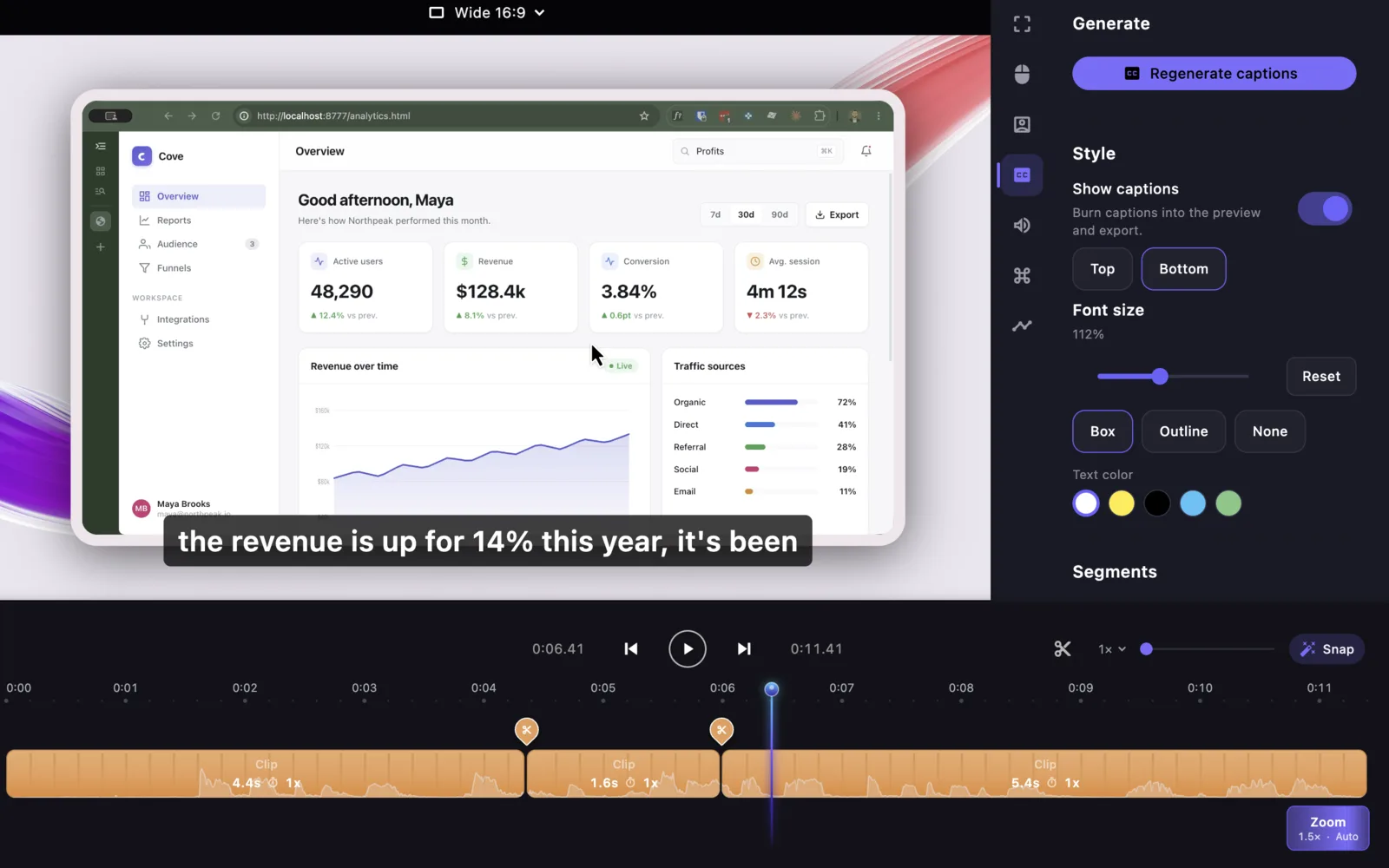
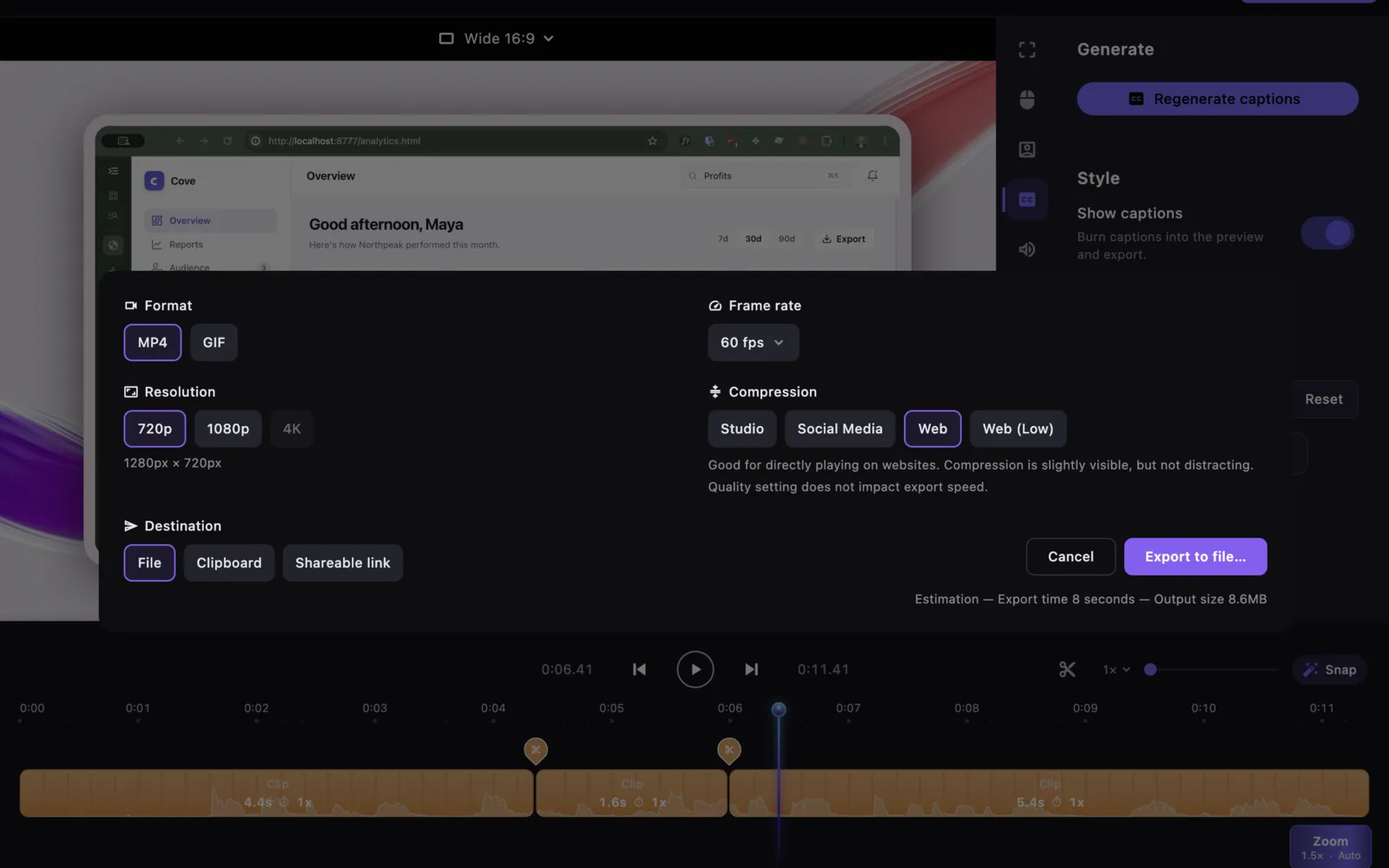
See the editor, not just the checklist.
These are current Slipreel editor views. Zooms, audio, camera framing, captions, and export controls stay editable before you render.
Edit every automatic zoom.Move, resize, retime, or remove any generated region on the timeline.Export a file you control.Render a finished MP4 or GIF locally, without sending the recording to a hosting service.
Slipreel versus Screen Studio, feature by feature
Feature
Slipreel
Screen Studio
Platform
macOS 13+ (Apple Silicon & Intel)
macOS 13.1+
Automatic zoom on clicks
Yes
Yes
Smoothed cursor + motion blur
Yes
Yes
Device frames + backgrounds
Yes
Yes
Webcam + mic + system audio
Yes
Yes
Captions / transcript
On-device (Whisper)
On-device
Keystrokes on screen
Editable timeline lane
Yes
MP4 + GIF export
Yes
Yes
Built-in shareable links / hosting
—
Yes
Recording stays on your Mac
Yes
Local, with optional cloud sharing
One-time purchase
Yes — $69 once
Subscription only
Pricing
$9/mo or $69 once
$29/mo, or $9/mo billed yearly
Why people choose Slipreel
Buy once and keep it — a $69 one-time license with one year of updates.
Everything runs on your Mac: recording, editing, and captions are local, and your recordings never leave the machine.
Free to download and fully usable to record and edit before you pay — three full-quality exports are included, then a license unlocks unlimited exports.
Pay $9 month-to-month, or $69 once with one year of updates.
When Screen Studio is the better fit
You want built-in shareable links to send a recording without exporting a file — Slipreel exports locally and doesn't host.
You're already settled in Screen Studio's workflow and happy on a subscription.
It's a mature, highly polished tool with a long track record; if hosted sharing matters more to you than owning the app, it's a great choice.
Slipreel licenses cover two Macs. The $69 one-time purchase includes one year of updates; you can keep exporting with covered versions after that. Later updates are optional paid renewals. Paid licenses require an internet connection at least every 14 days to renew activation. License details · Privacy and network connections.
Slipreel vs Screen Studio: common questions
Is Slipreel a good Screen Studio alternative?
Yes. Slipreel covers the same core as Screen Studio on macOS —
automatic zoom on your clicks, a smoothed cursor with motion blur,
device frames on custom backgrounds, on-device captions, and MP4 or
GIF export — with a one-time license. Both apps offer on-device transcription. Screen Studio also offers built-in shareable links for hosting a recording without
exporting a file.
Does Slipreel have automatic zoom like Screen Studio?
Yes. Slipreel detects every click and pushes in on it, anticipating
where the cursor is heading. Each zoom is a normal timeline region you
can move, resize, retime, or delete, and you can add your own.
Is Slipreel cheaper than Screen Studio?
Slipreel is $9/month or $69 once for a one-time license with one year of updates.
Screen Studio is subscription only, at $29/month or $9/month billed
yearly (about $108/year). So Slipreel has a lower month-to-month price and offers a one-time purchase option.
Do Slipreel's captions upload my recording?
No. The Whisper transcription engine ships inside the app and runs on
your Mac; the speech model downloads once on first use and is cached.
Your recording never leaves the machine.
Can I try Slipreel before paying?
Yes. Slipreel is free to download and fully functional to record and
edit before you buy. Three full-quality exports are included in version 1.0.9 and later; a license unlocks unlimited exports.
Does Slipreel run on Windows?
No. Slipreel is macOS 13 or later, on Apple Silicon or Intel —
the same Mac-only footprint as Screen Studio.
Comparison method: Slipreel capabilities were checked in version 1.0.18. Pricing checked 9 September 2026 in USD against Screen Studio's public pricing. Billing options, taxes, promotions, and competitor features may change.