Slipreel vs QuickTime

Everything QuickTime screen recording leaves out.

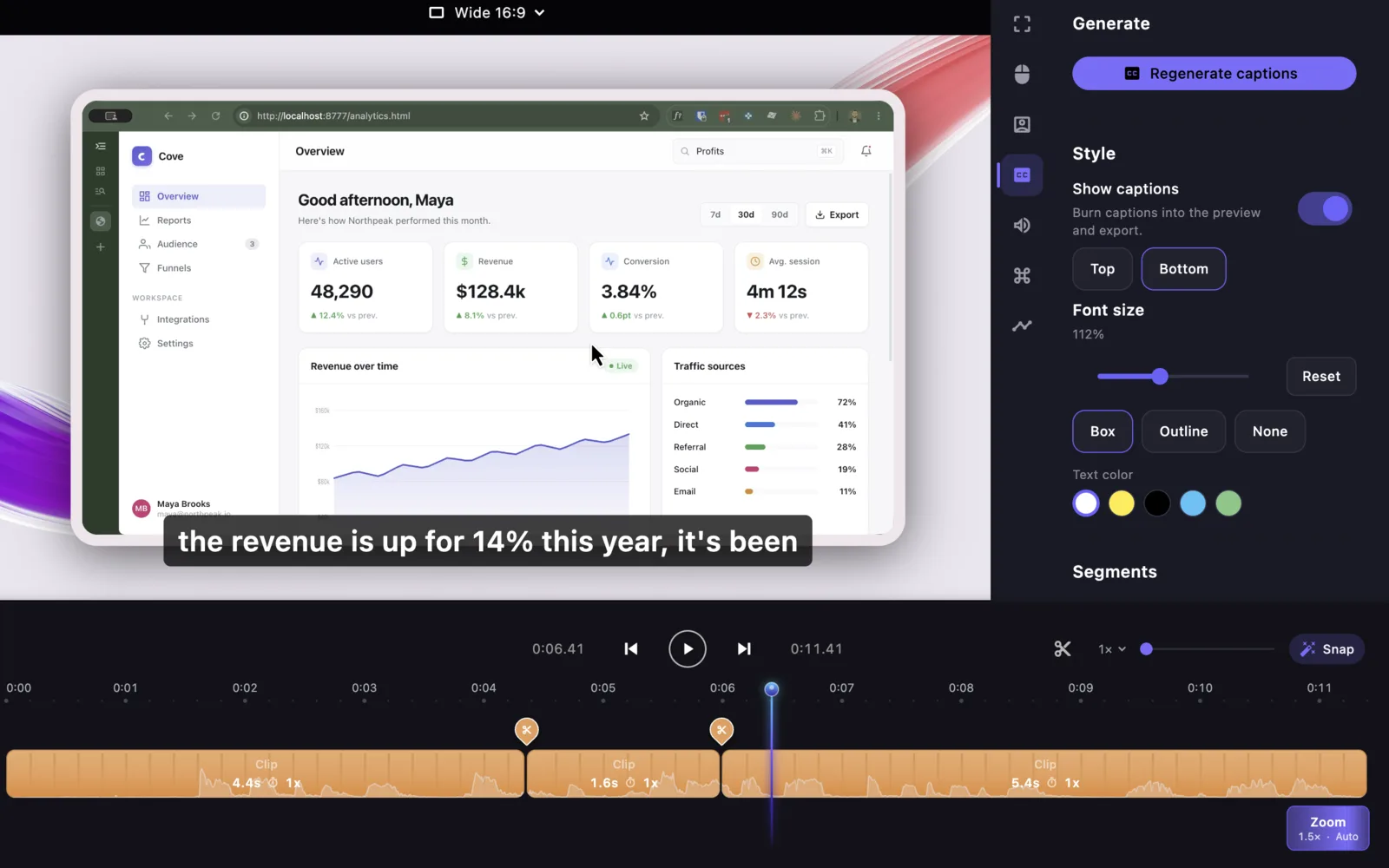
QuickTime captures a raw screen recording. Slipreel captures it and makes it look produced — automatic zoom, smoothed cursor, device frames, captions, system audio, and MP4 or GIF export.

QuickTime Player is free, built into every Mac, and perfect for grabbing a raw screen recording. What it can't do is make that recording look good: there's no zoom, no cursor polish, no framing, no captions, no system audio, and no GIF export. Slipreel is the step up — it records with the same one-click simplicity, then automatically turns the capture into a polished demo, while still running entirely on your Mac.

Here is what you gain moving from QuickTime to Slipreel — and when QuickTime is still all you need.

Slipreel versus QuickTime, feature by feature

Feature Slipreel QuickTime
Price $9/mo or $69 once Free (built into macOS)
Screen + microphone recording Yes Yes
System audio recording Yes Needs extra software
Automatic zoom on clicks Yes
Smoothed cursor + motion blur Yes
Device frames + backgrounds Yes
Captions On-device (Whisper)
Webcam overlay, in sync Yes Separate recording
Timeline editing (cut / trim / speed) Yes Basic trim
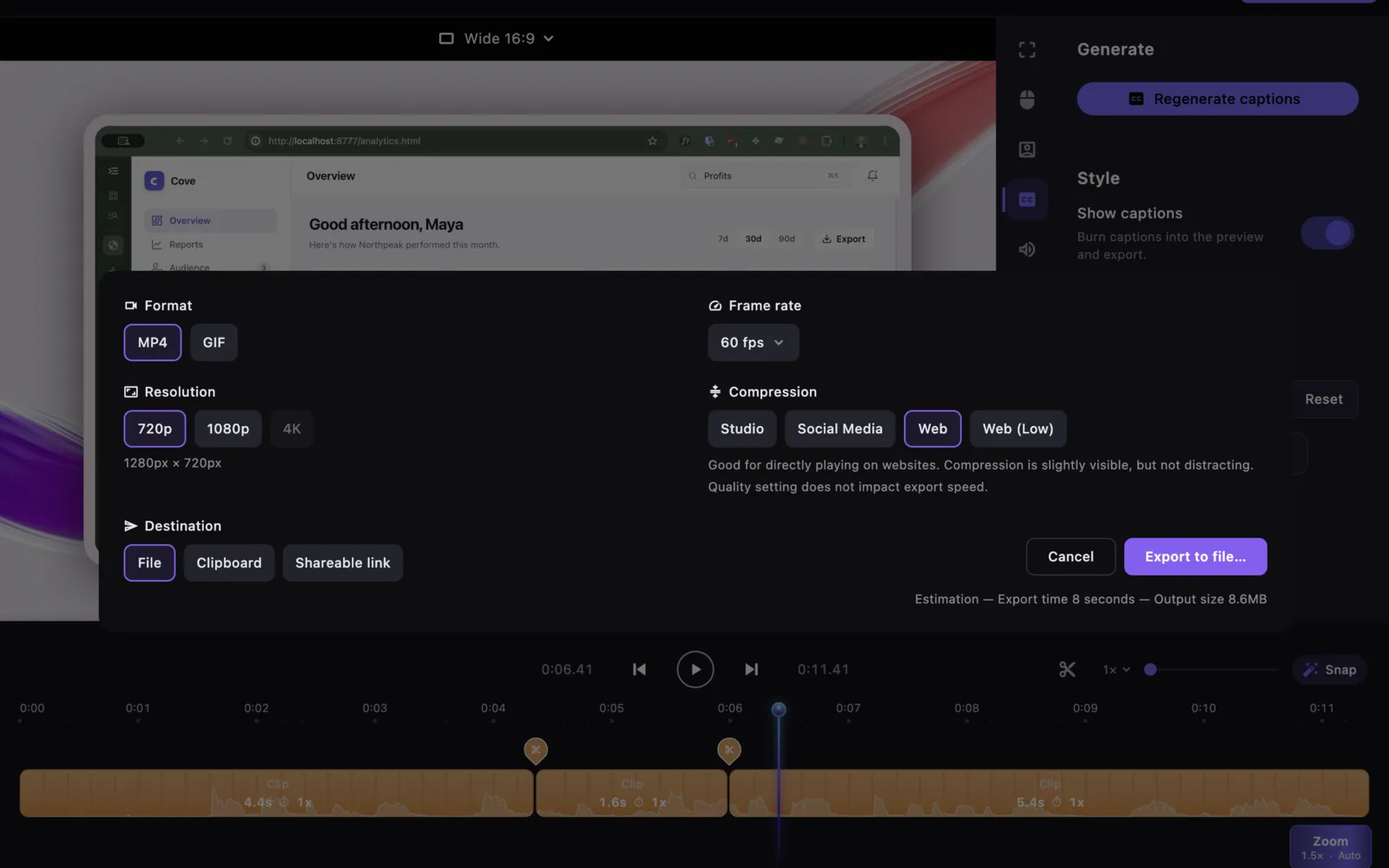
Export MP4 + GIF, six aspect ratios .mov only
Runs fully on your Mac Yes Yes

Why people upgrade to Slipreel

  • Turns a plain capture into a polished, produced-looking demo automatically.
  • Records system audio, syncs a webcam, and adds captions — things QuickTime can't do alone.
  • Exports MP4 and GIF, not just .mov.
  • Still one-click simple to record, and free to try before you buy.

When QuickTime is all you need

  • You just need a quick raw capture you won't polish or edit.
  • You don't want to install anything — it's already on your Mac and free.
  • Simplicity matters more than production quality.

Slipreel licenses cover two Macs. The $69 one-time purchase includes one year of updates; you can keep exporting with covered versions after that. Later updates are optional paid renewals. Paid licenses require an internet connection at least every 14 days to renew activation. License details · Privacy and network connections.

Slipreel vs QuickTime: common questions

Is Slipreel better than QuickTime for screen recording?

For polished demos, yes. Slipreel adds automatic zoom, cursor smoothing, device frames, captions, system-audio capture, and MP4 or GIF export that QuickTime does not have. For a quick raw capture you won't edit, QuickTime is fine and free.

Can Slipreel record system audio when QuickTime can't?

Yes. Slipreel captures system audio as its own track. QuickTime needs extra third-party software to record internal sound.

Does Slipreel export GIFs when QuickTime doesn't?

Yes. Slipreel exports both MP4 and GIF, in six aspect ratios. QuickTime exports .mov video only.

Is Slipreel free like QuickTime?

Slipreel is free to download and fully functional to record and edit; three full-quality trial exports are included in version 1.0.9 and later, then unlimited export requires a license ($9/month or $69 once). QuickTime is entirely free and built into macOS.

Does Slipreel add automatic zoom to a recording?

Yes. Slipreel detects your clicks and zooms in on them automatically, and smooths the cursor path. QuickTime cannot do this.

Does Slipreel run on my Mac like QuickTime?

Yes. Slipreel runs on macOS 13 or later, Apple Silicon or Intel, and recording, editing, captions, and export run locally on your Mac.

Give your screen recordings a finish.

Download for macOS

Comparison checked 9 September 2026. Sources: Apple’s screen recording guide and QuickTime trimming guide.